

Why Speed Matters in Wireframing
Here’s the thing about wireframing — if it takes you three days to sketch a single page, you’ve already lost momentum. Speed isn’t about cutting corners. It’s about getting your ideas out of your head and in front of real people who can actually tell you if they make sense.
Most designers overthink the early stages. They spend hours perfecting details that’ll change anyway. But the best teams? They’re comfortable with rough sketches. They know that a quick, messy wireframe gets honest feedback way faster than a polished mockup ever could. You’ll iterate three times on a rough sketch in the time it takes to iterate once on something high-fidelity.
The goal isn’t perfection at this stage. It’s clarity. Does the layout work? Is the information architecture sound? Can users actually navigate this thing? Those are the questions wireframes answer. Everything else comes later.
Paper vs Digital: When to Use Each
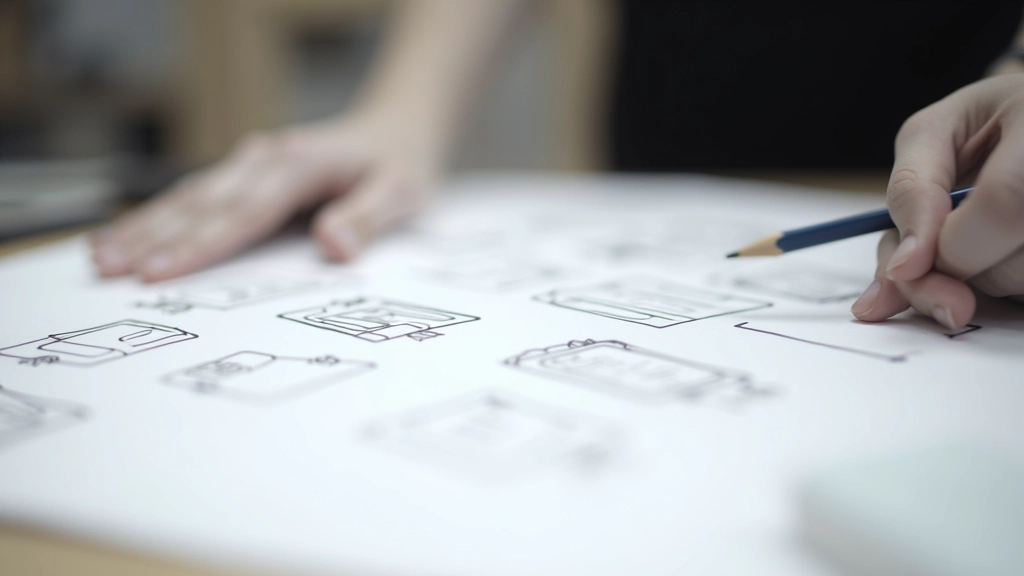
Paper wireframes are ridiculously fast. Seriously. Grab a pen, sketch some boxes, and you’ve got something to discuss in minutes. There’s zero pressure because everyone knows it’s temporary. No one’s going to judge your handwriting or expect pixel-perfect lines. You can sketch, erase, sketch again. Three iterations in 15 minutes? That’s normal with paper.
Digital tools come in when you need to share across a team or iterate on something that’s already working. Figma, Adobe XD, Miro — they’re brilliant for collaboration. But they also introduce friction. You’re dealing with grids, spacing, alignment. Those constraints help eventually, but early on? They slow you down.
The hybrid approach works best. Start with paper. Get the basic structure right. Then move to digital once you know what you’re building. This workflow cuts your total time by nearly half because you’re not fighting tools in the early stages.
Key Takeaway
Don’t let tool choice paralyze you. Paper for exploration, digital for refinement. Pick one, move fast, and get feedback.
Low-Fidelity Techniques That Actually Work
Box Blocking
Draw rectangles for every major element. Header, sidebar, content area, footer. That’s it. Don’t worry about colors, typography, or images. Just boxes and labels. Takes maybe 5 minutes per page.
Annotation Layers
Add notes directly on your wireframe. “Search bar here,” “User profile dropdown,” “Related articles section.” These annotations answer questions before people ask them. They’re essential for remote teams.
User Flow Integration
Instead of isolated screens, show how pages connect. Use arrows to indicate user paths. This reveals navigation problems you’d miss looking at individual wireframes in isolation.
Hierarchy Through Emphasis
Bigger boxes mean more important content. This simple visual language helps everyone understand what matters on each page. You’re creating a visual hierarchy without any actual design.
Getting Real Feedback Fast

The moment your wireframe looks too polished, people stop focusing on structure and start commenting on colors. That’s not what you want yet. You want feedback on navigation, information hierarchy, and user flow. Low-fidelity forces that conversation.
Schedule short sessions — 30 minutes, not an hour. Bring 3-5 people. Show the wireframe for maybe 5 minutes. Then listen. Don’t defend. Don’t explain every choice. Just write down what they say.
You’ll hear patterns. Multiple people will mention the same confusion. That’s your signal to redesign that section. One person’s random comment? Probably ignore it. The consensus tells you where real problems exist.
Common Mistakes to Skip
- Wireframing too many variations. Pick one flow and nail it. You can explore alternatives later. Early on, commit to a direction.
- Adding unnecessary detail. Resist the urge to include every micro-interaction. Focus on the main layout and primary interactions.
- Skipping the annotation step. Your future self won’t remember why you chose that layout. Label everything. It takes 2 extra minutes.
- Designing in isolation. Don’t spend a week wireframing alone. Get feedback after day two. Course-correct early.
- Treating wireframes as final. They’re not. They’re conversation starters. Keep iterating until the structure actually works.
Building a Wireframing Workflow
Gather Requirements (1-2 hours)
What pages do you need? What’s the core user journey? Document this first. Don’t start sketching blind.
Quick Paper Sketches (30-60 min)
Rough layouts for main pages. High-level structure only. Multiple variations encouraged. Embrace the mess.
Digital Translation (2-3 hours)
Move your favorite paper sketches into Figma or your tool of choice. Add annotations. Create linked prototypes so people can click through.
Feedback Loop (30 min)
Present to stakeholders. Collect feedback. Don’t iterate forever — max 2-3 rounds before moving to design.
Why This Approach Works
You’re cutting down the time between “I have an idea” and “Does this actually work?” That’s the real win. In a typical project, you might spend two weeks on wireframes that end up getting scrapped because no one tested them early.
With a fast wireframing workflow, you get feedback within days. You validate your assumptions quickly. You discover navigation problems before they become expensive to fix. And you’re not burning out trying to make everything pixel-perfect.
The best part? Everyone on your team gets it. When wireframes look rough, people know they’re temporary. They’re comfortable suggesting major changes. That’s exactly the culture you want for early-stage design work. You’re moving faster because you’re all aligned that this is exploratory, not final.
Ready to Start Wireframing?
Grab a pen and paper right now. Sketch three different layouts for your next project page. Don’t overthink it. Just get it out there. You’ll be amazed how much clarity comes from moving your thinking from your head onto paper.
Explore More Design Resources